
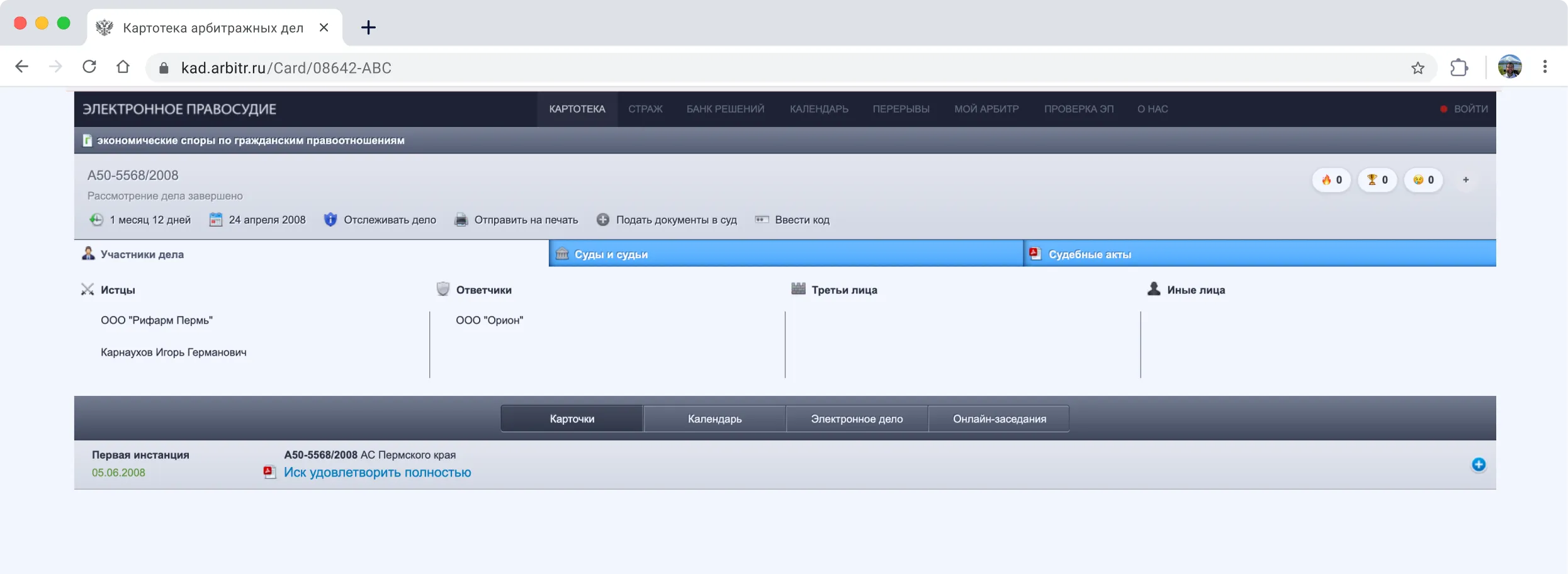
Basic functionality of the Commercial Case File
The Commercial Case File (KAD) at kad.arbitr.ru is an electronic registry that aggregates information on court cases heard by commercial courts and provides procedural communication with the court.
Search for a case by number, party (company/sole proprietor), court, and other parameters.
Track case progress: dates, case events, and publication of court decisions and documents.
View hearing information (scheduling, changes, adjournments).
Work with case materials and use information from the case card to prepare your position and procedural documents.
File procedural documents with the court electronically (more convenient than in courts of general jurisdiction, but not yet fully optimized).
KAD is more convenient with ShotApp
KAD covers the main tasks of searching for and monitoring cases, but a lawyer's daily work still involves routine actions: manually transferring data, searching for court contacts, monitoring delays in online hearings, and gathering data across multiple cases.
Less routine — more time for strategy.
ShotApp handles repetitive operations and helps you work with KAD faster and more systematically.
Reliability
Trust
Speed
Authenticity
Value
Simplicity



8 features that save litigation lawyers time
8 features that save litigation lawyers time
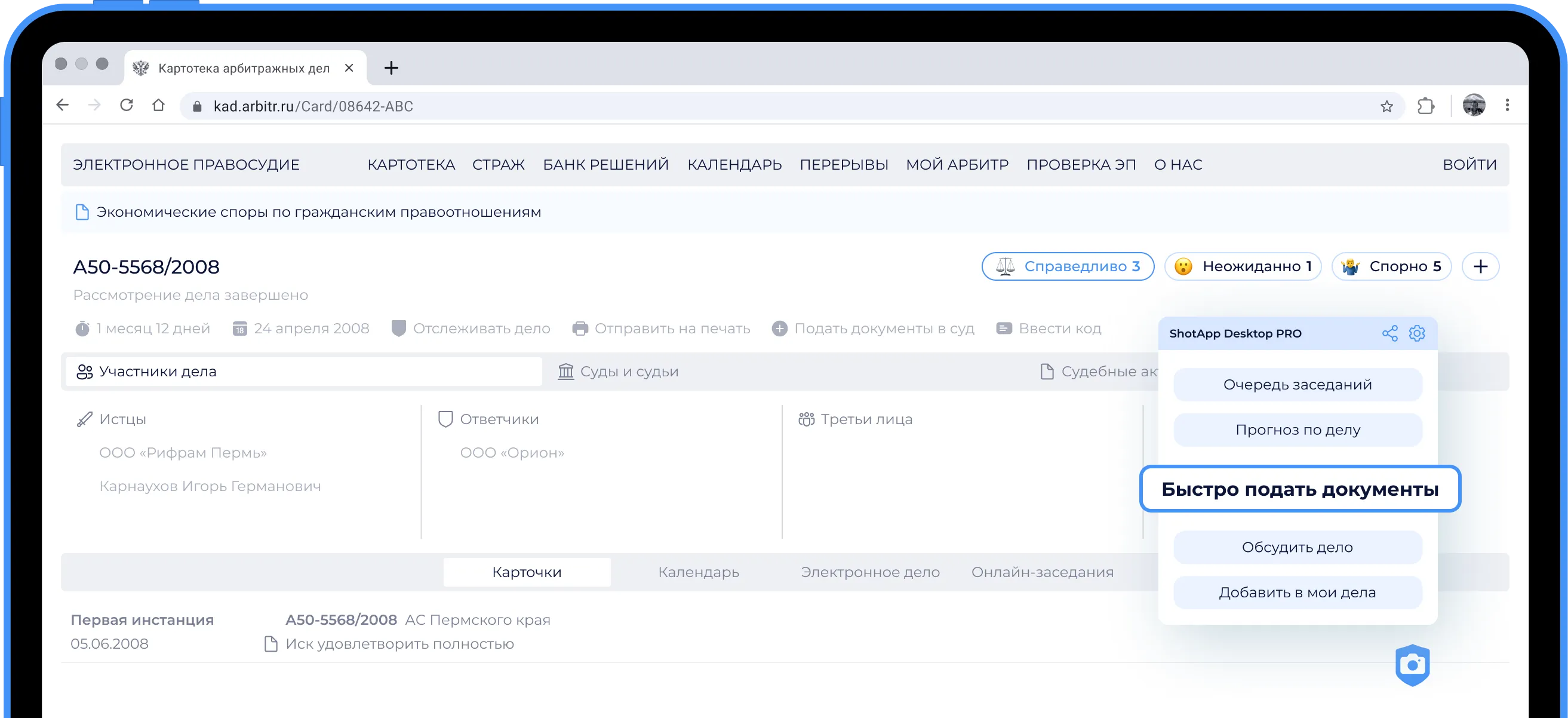
Fast document filing
Preparing documents becomes easier: the extension auto-fills your details and helps upload multiple documents at once instead of one at a time.
Court hearing queue
Track the actual hearing queue and delays. This lets you switch to other tasks without missing an online hearing even if it starts late.
Court contacts at your fingertips
Phone numbers for assistants and clerks. No need to search third-party websites — everything is available in one click.
Judge contacts
Judge ratings and reviews
Consider colleagues' reviews and leave your own assessments of judges' work. A useful tool for preparing for proceedings.
Judge S.G. Ryazanov
Magistrates' Court of Altai Krai
12.02.2026
4,4
Engagement
4,0
Courtesy
4,0
Punctuality
5,0
Speed of consideration
5,0
Meeting deadlines
4,0
A knowledgeable and competent judge who demonstrates a high level of professionalism and responsibility in their work. Carefully examines all the circumstances of the case and issues fair decisi...
Internal case chat
Discuss the case with other lawyers inside the case card, share opinions, and stay informed without third-party messengers.


I.I. Ivanov
The current hearing will consider the admissibility of the submitted evidence.
10:26
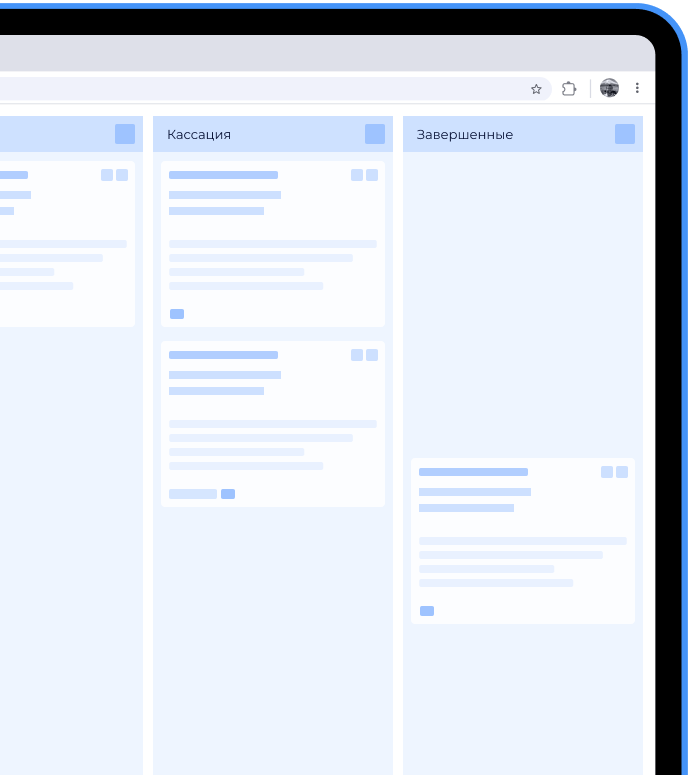
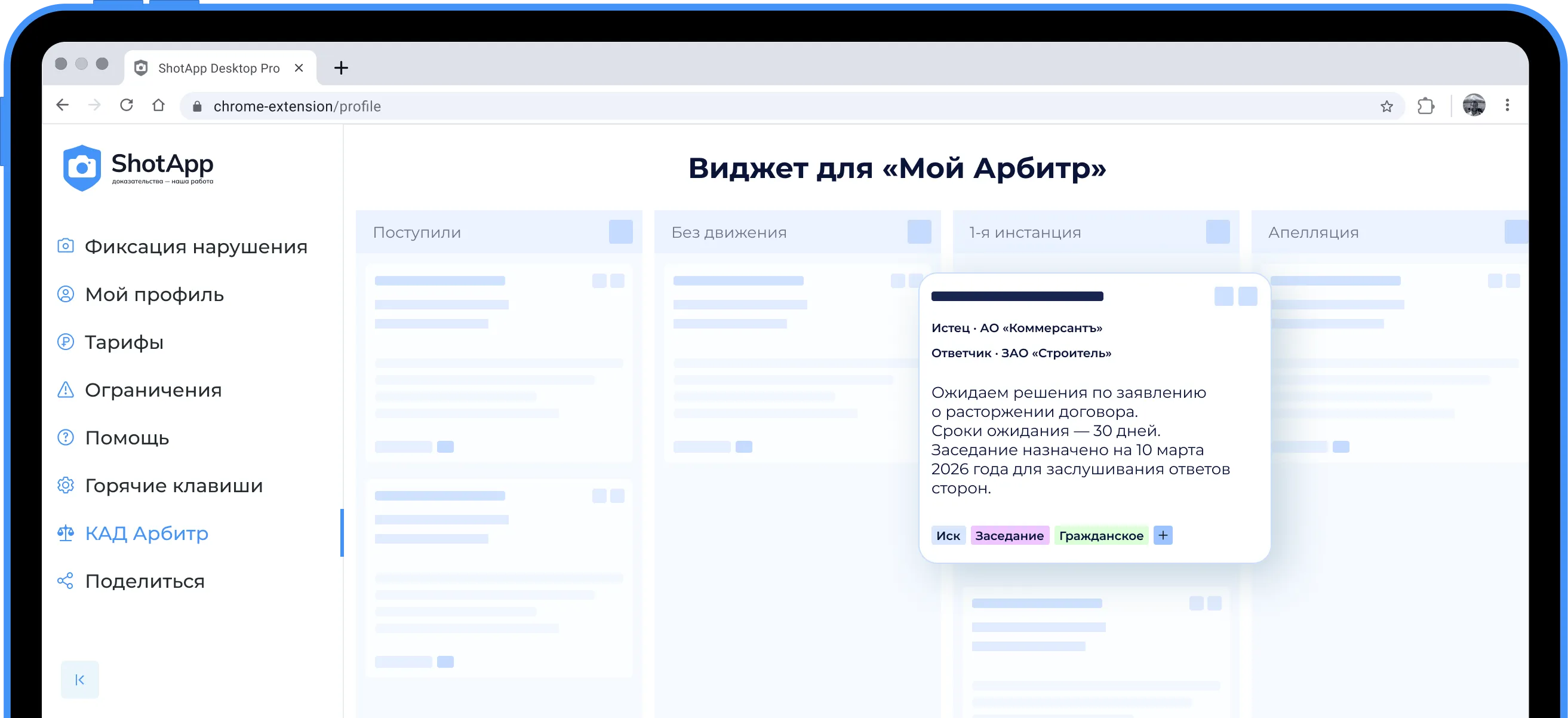
My cases — convenient Kanban
A mini CRM system. Add cases to your personal board and track their progress. Control multiple proceedings at once without constantly searching KAD.

Claimant · Kommersant JSC
Defendant · Stroitel CJSC
Awaiting a decision on the contract termination application. Expected waiting period — 30 days. The hearing is scheduled for March 10, 2026 to hear the parties' responses.
Search cases by party
Quickly navigate to other cases involving the claimant or defendant. Assess litigation activity and the overall picture without extra steps.
Case mentions on the Internet
Check whether the case appears in news and publications. This helps you account for the information environment and reputational risks.

How to use
Step 1
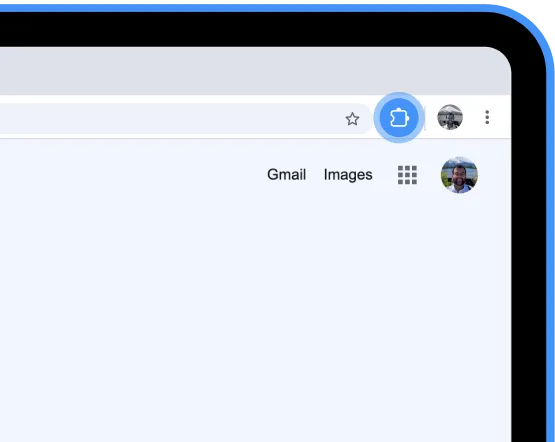
Install the extension and pin the quick-access icon
To access the extension menu, click the icon in the top bar.
Step 2
Open KAD.Arbitr
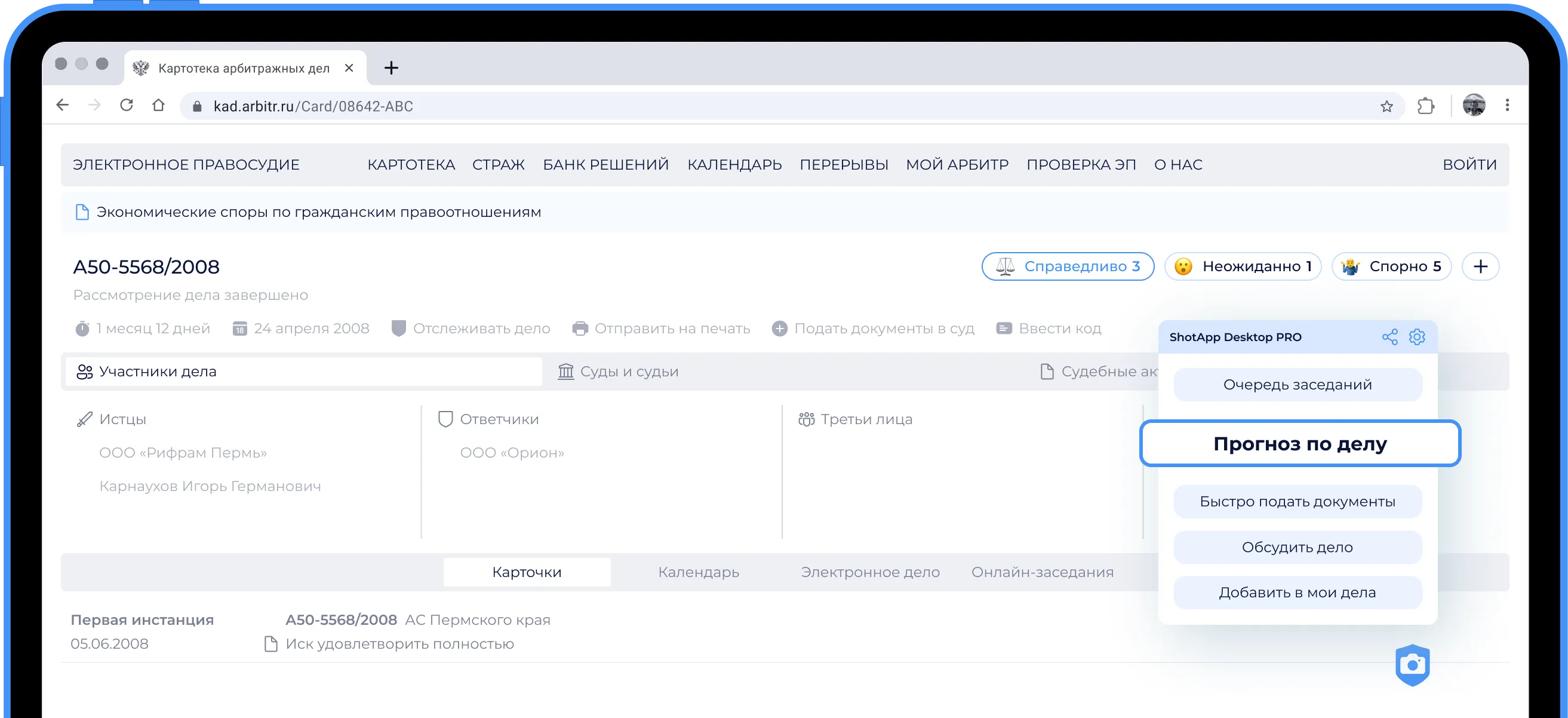
Go to any case page on kad.arbitr.ru. The widget will activate automatically and show the available features.
Step 3
Select the tool you need
File documents, check contacts, track hearings, or add the case to “My Cases” — everything is available directly in the case interface.
Step 4
Work faster
The extension saves time searching for information and simplifies workflows without changing the familiar KAD interface.
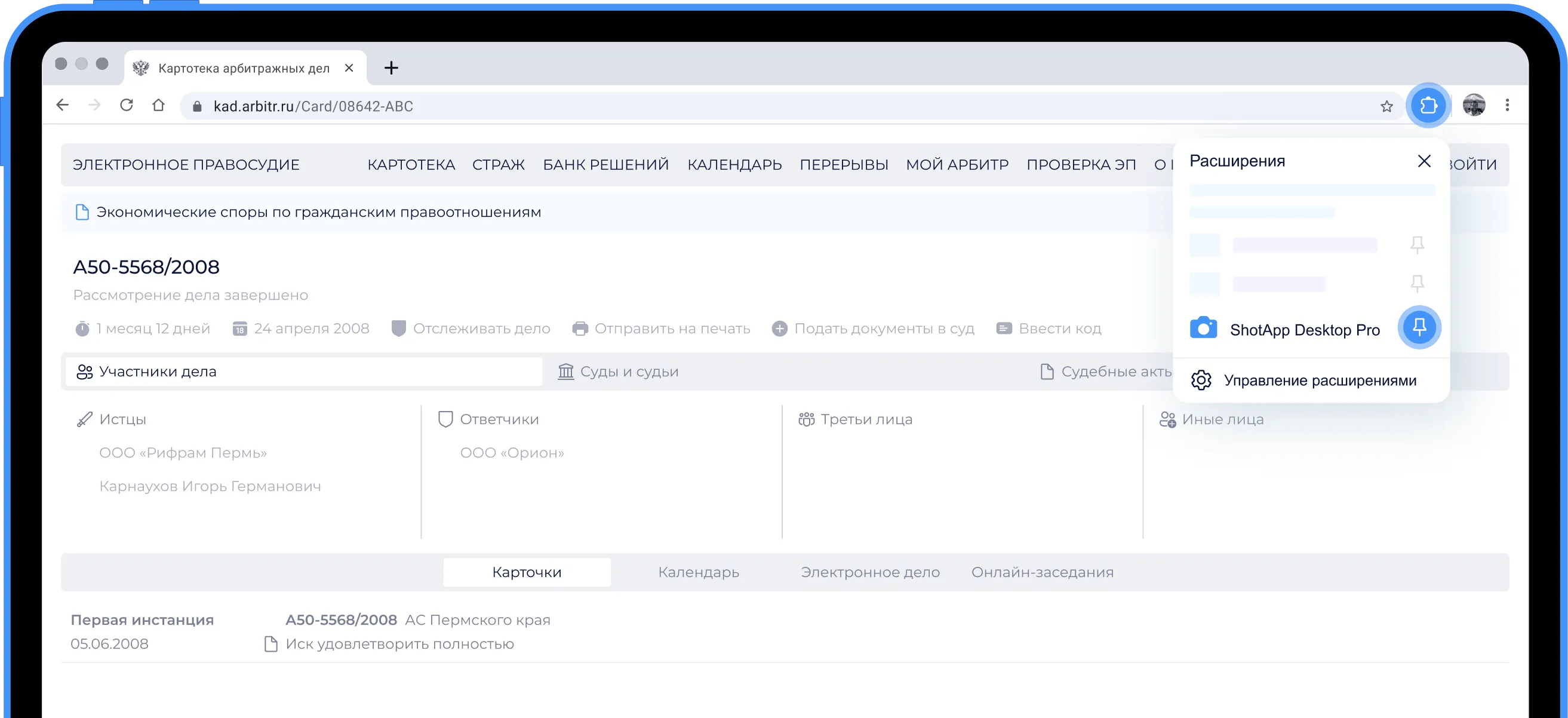
Step 1
Install the extension and pin the quick-access icon
To access the extension menu, click the icon in the top bar.
Step 2
Open KAD.Arbitr
Go to any case page on kad.arbitr.ru. The widget will activate automatically and show the available features.
Step 3
Select the tool you need
File documents, check contacts, track hearings, or add the case to “My Cases” — everything is available directly in the case interface.
Step 4
Work faster
The extension saves time searching for information and simplifies workflows without changing the familiar KAD interface.
No hidden fees. No time limits. No registration.
The widget is part of the ShotApp evidence-capture extension. We create IT tools for litigation lawyers and want working with KAD to be more convenient for everyone. The widget's basic functionality will always remain free.